Custom Presets
To store, re-use and share any graph. New in v1.1
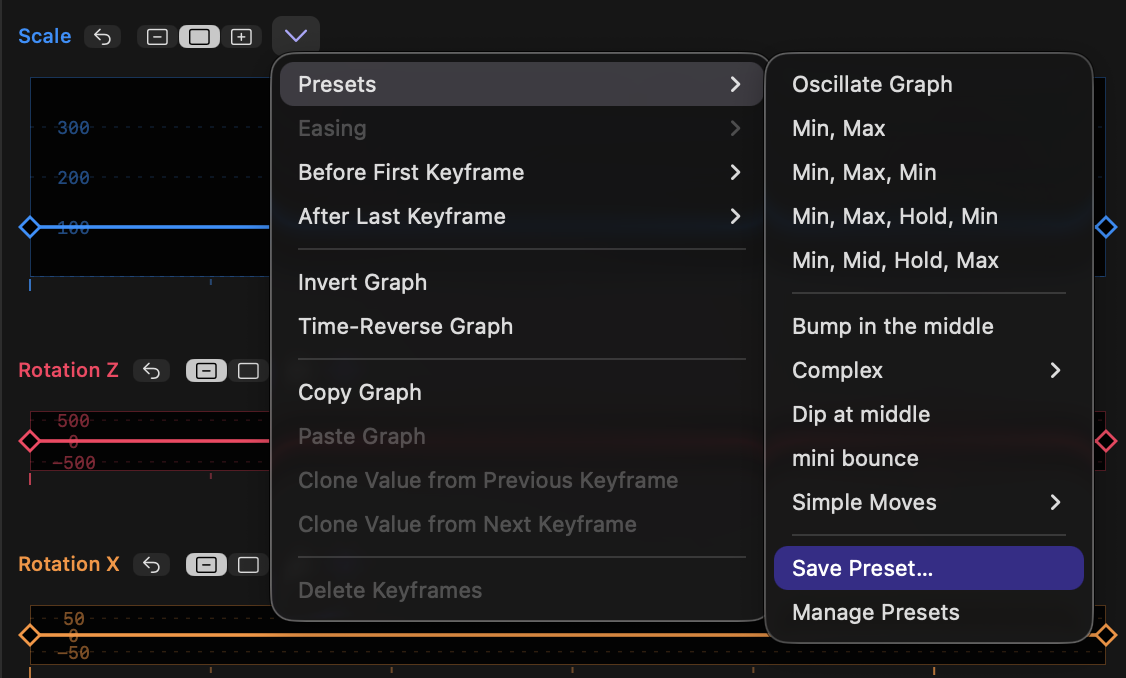
- Custom presets can be saved.
- With no keyframes selected, or with two or more keyframes selected, choose Save Preset and give it a name.
- These presets appear in the menu below the built-in presets, and when applied, you’ll be able to control limits, scale handles up or down, and flip it, as you can with the other presets.
- Similar to other presets, selecting multiple keyframes before choosing a preset sets the horizontal and vertical limits from keyframe values.
- Choose Manage Presets, in the same submenu, to reveal a folder containing all your presets.
- You can rename your presets by renaming these files.
- You can organise your presets by creating new subfolders.
- Presets are small plain text files, and can be easily shared between users.