# Resetting and scaling the graphs
Each graph can be reset, zoomed horizontally, and shown in one of three vertical sizes.
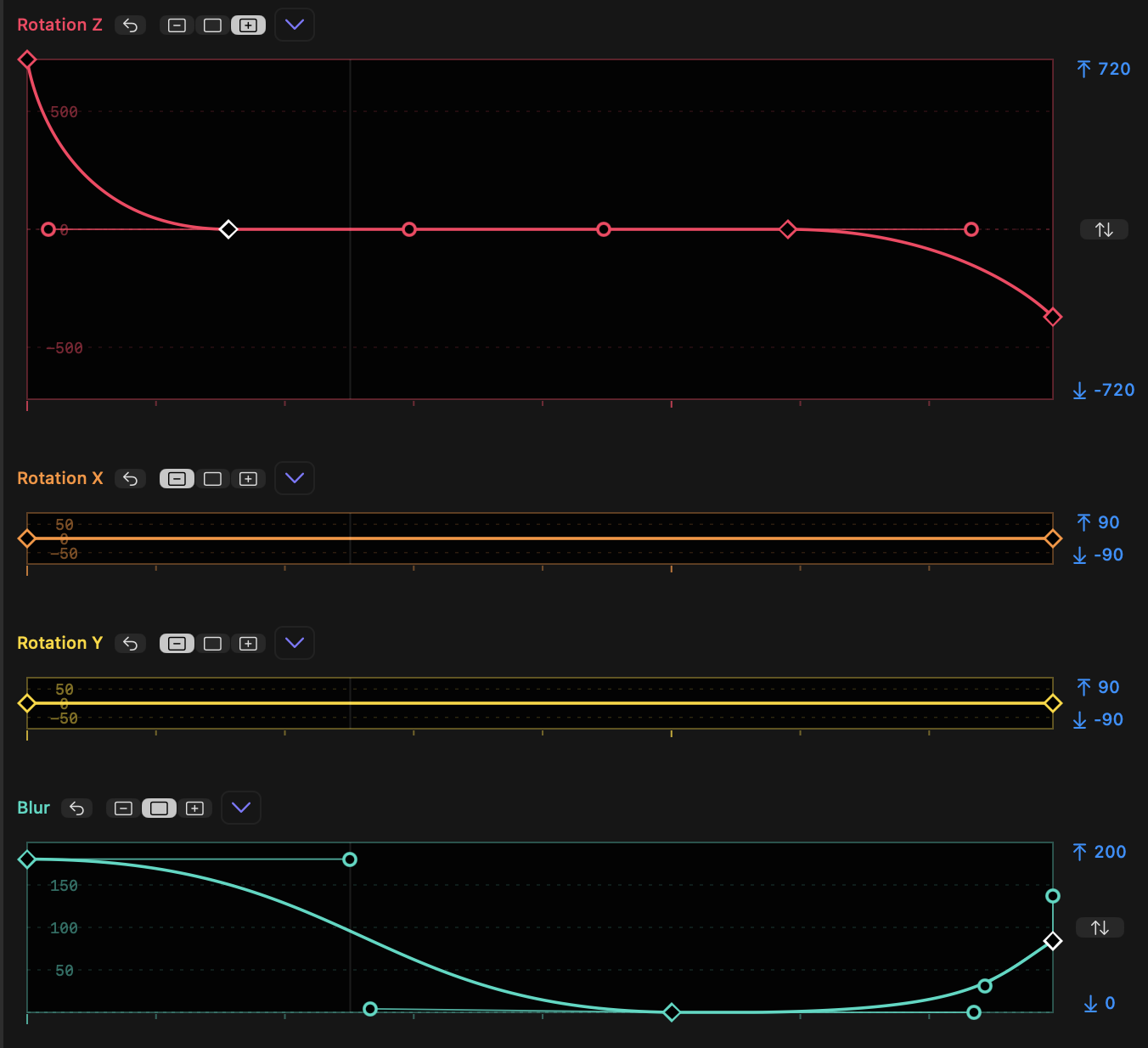
- **Each property graph can be reset** using the reset button next to its name.
- **`SHIFT`-click any graph's reset button** to reset all graphs at once.
- To the right of the reset button, you'll see a three-position toggle displaying the current graph height: Minimised, Standard or Expanded.
- When Minimized, the "Fit" button within the upper and lower limits is not available. All other controls work in any size.
- **`SHIFT`-click on a toggle** to force all graphs to that size.
- **`OPTION`-click on a toggle** to set that graph to the chosen size and minimize all other graphs.
- As it's not possible to show all graphs at larger sizes, when graphs move to Standard or Expanded size, other graphs may shrink.
- Graphs can be zoomed horizontally. When zoomed in, a scroll bar appears below all graphs, and the tick marks reflect the new zoom state. `New in v1.1`
- To zoom all graphs in or out, while the pointer is over a graph:
- Spread two fingers together or apart on a trackpad.
- Hold `OPTION` as you scroll with a mouse wheel.
- Hold `OPTION` as you scroll by moving two fingers together vertically on a trackpad.
- Double-click in empty space, to show 25% of the width of the full graph. Double-click again to zoom out.
- To scroll all graphs, while zoomed in with the pointer over a graph:
- Move two fingers on a trackpad horizontally.
- Hold `SHIFT` as you scroll with a mouse wheel.
- Hold `SHIFT` as you scroll by moving two fingers together vertically on a trackpad.